
5 steps to setup IPTV on iOS via Cloud Stream IPTV
Cloud Stream IPTV Player is a free program for iPhone that relates to the category of IPTV streaming and has been produced by Giovanny Aranda. This program is accessible in French, English, Italian, and Spanish languages.

Watch the TV IPTV from your ISP or any other TV Internet source from your iPhone or iPad with EPG and the ability to create a favorites list from your selected channels.
How to add IPTV channels to Cloud Stream IPTV Player
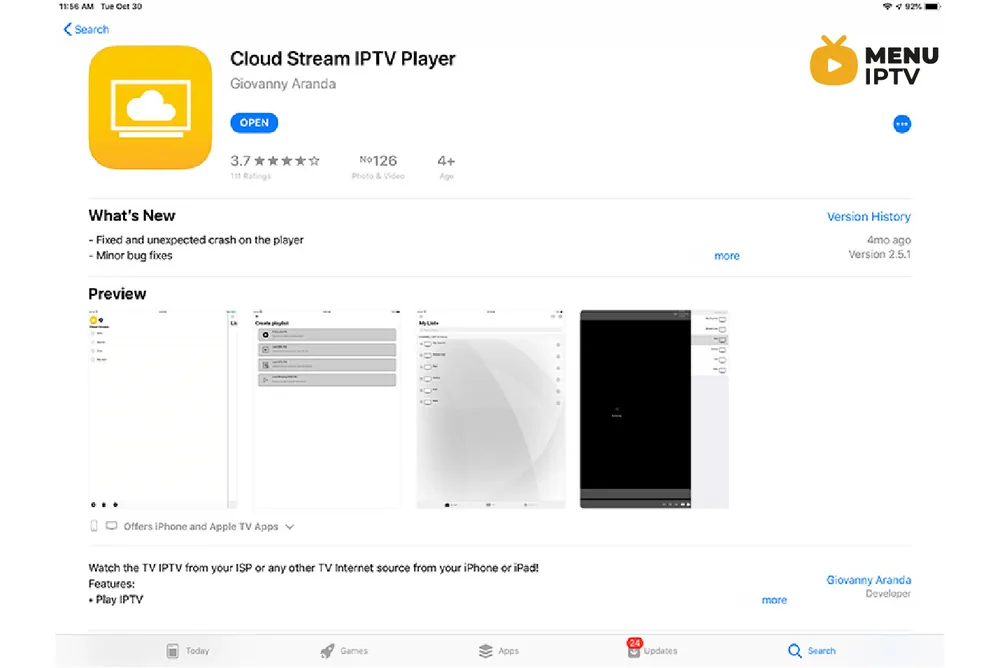
Step 1: Start by downloading the app from the app store via this URL:
https://itunes.apple.com/us/app/cloud-stream-iptv-player/id1138002135#?platform=ipad
and install it on your iOS device.
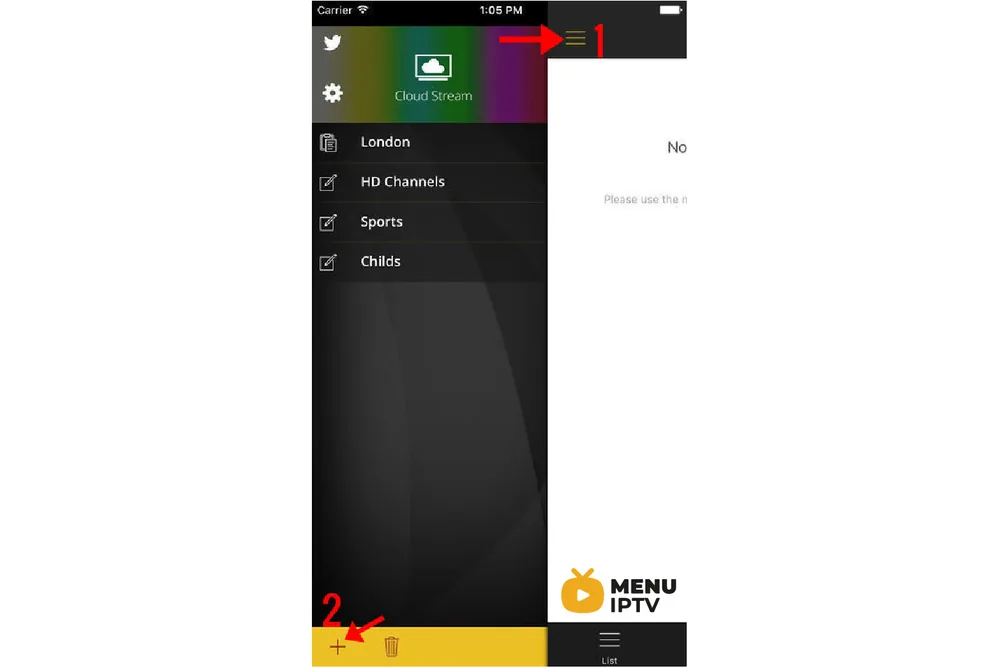
Step 2: After downloading the app, click on the 3 lines and then select the + sign just as depicted in the below picture.
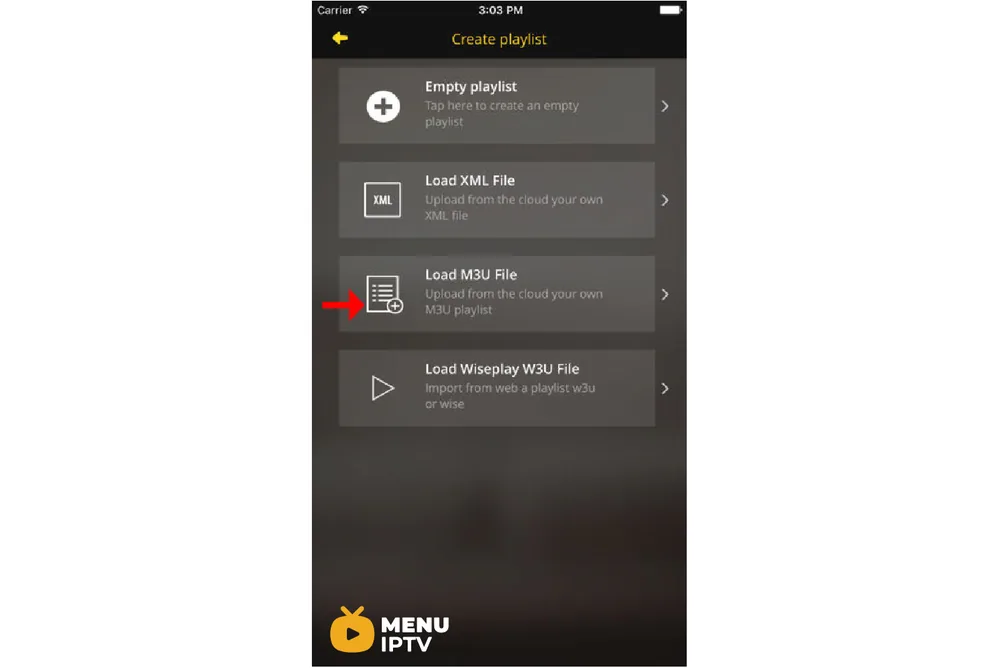
Step 3: You will then be offered with a new screen, click on “LOAD M3U FILE” and add the M3U link that you received from your IPTV distributor.
Step 4: After your M3U playlist is loaded, a new screen will be displayed, enter a name (any name) for the playlist and then pick your country (Choosing the country will also help with setting up the EPG).
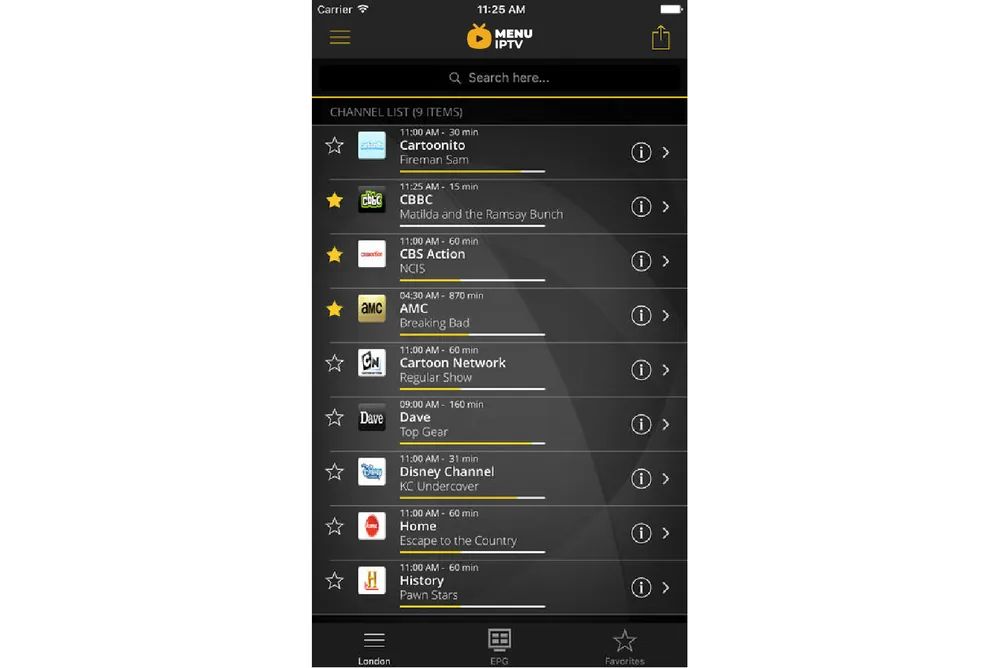
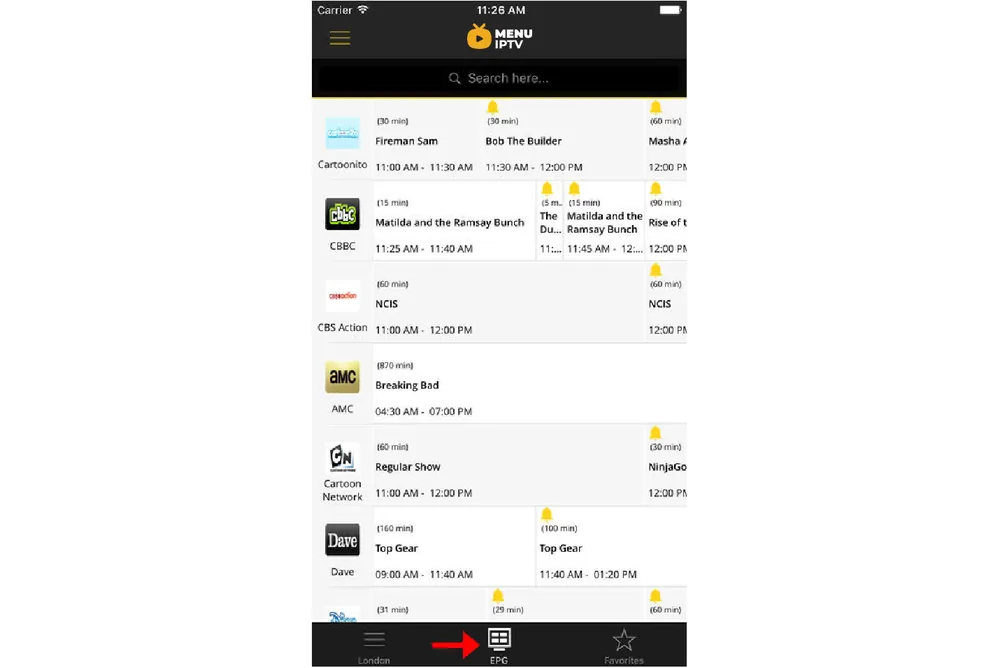
Step 5: You can also check the EPG information regarding each channel from the EPG tab.
Features of Cloud Stream IPTV Player
• Play IPTV
• Streaming for Internet channels
• Play-multicast streams through a UDP proxy (the proxy must be configured in your local network)
• Support M3U and XML, ability to add playlists from the file system device, via the Internet or from the clipboard.
• Channel information and logo is available
• Support for JSON format lists with extension W3U and WISE
• Programming Guide EPG
• A few video servers are supported
Additional features:
– Share lists between devices using Airdrop, mail, messages or any other application installed on the device.
– Favorites.
– Theme Light and Dark.
– Parental Lock on the player to keep children on the player.
– If the channel allows, switching subtitles and secondary audio.
– If the m3u list contains groups these will be displayed in the application.
– Schedule reminders for broadcast programs using the bell in the programming grid
Need an IPTV subscription for this device? Get the free 24h IPTV test from Menuiptv, then pick a plan from 38 € for 6 months.