
How to record IPTV on VLC
How to record
Step-by-step guide to record IPTV on VLC
VLC is one of the most used applications for streaming IPTV channels. The VLC media player, produced by VideoLAN, is available for desktop and mobile platforms like Android, iOS, Tizen, Windows 10 Mobile, and Windows Phone.In this tutorial, we will show you how to record Live programs on VLC.
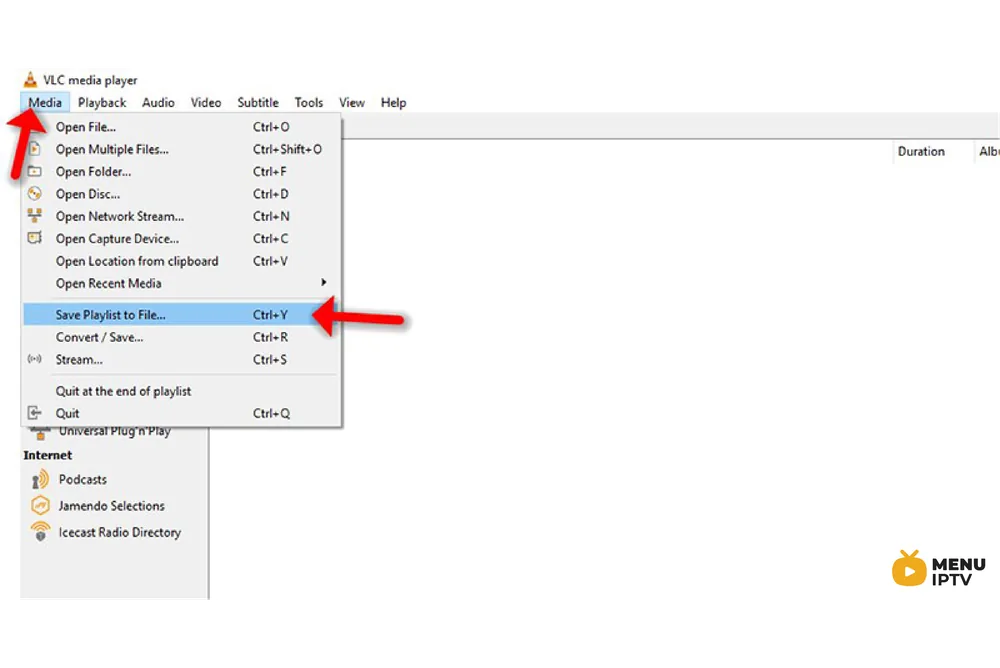
Step 1: To capture and record a video of your desktop to a file, click the “Media” menu in VLC and select Convert / Save.
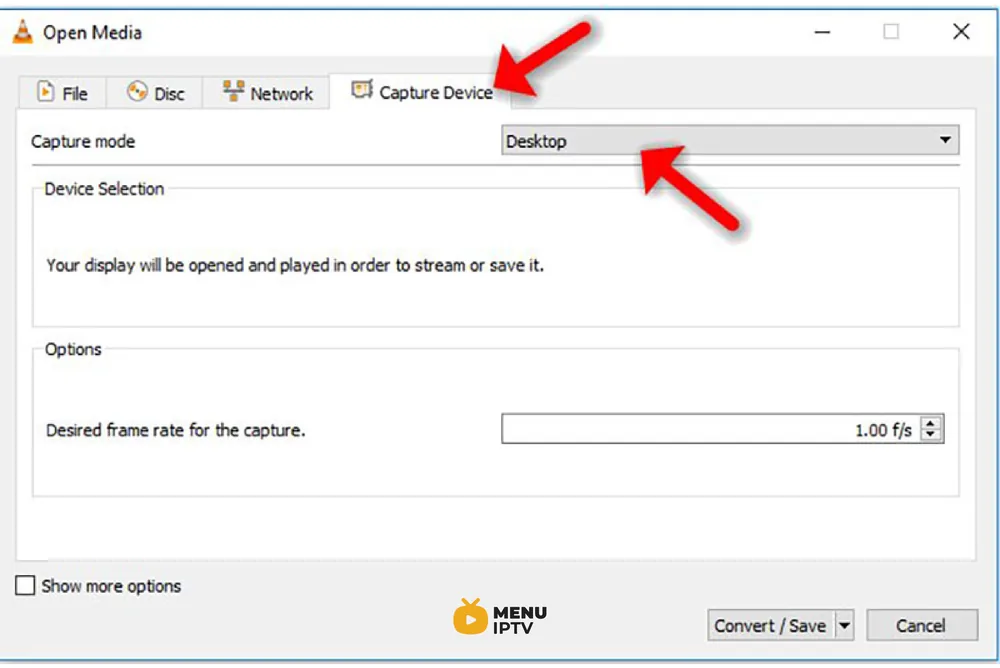
Step 2: Click the “Capture Device” tab and select “Desktop” from the “Capture mode” box.
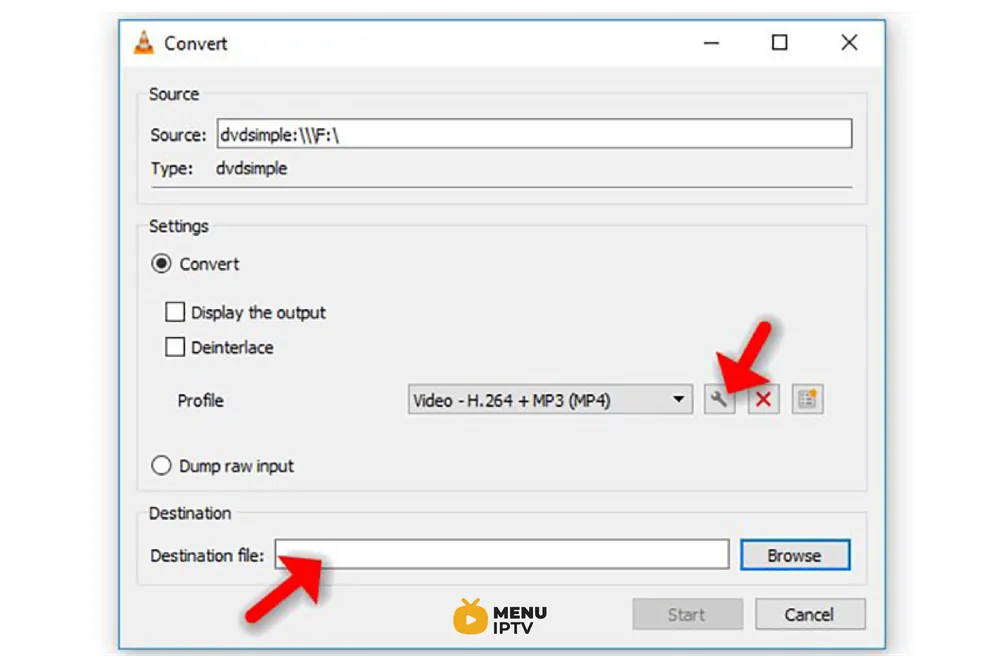
Step 3: Set a destination file in the Destination section. You can enable the Display the output checkbox to display the contents of your desktop in the VLC window while recording, but this isn’t necessary.
To adjust the resolution and video codec, click the edit button to the right of the Profile box.
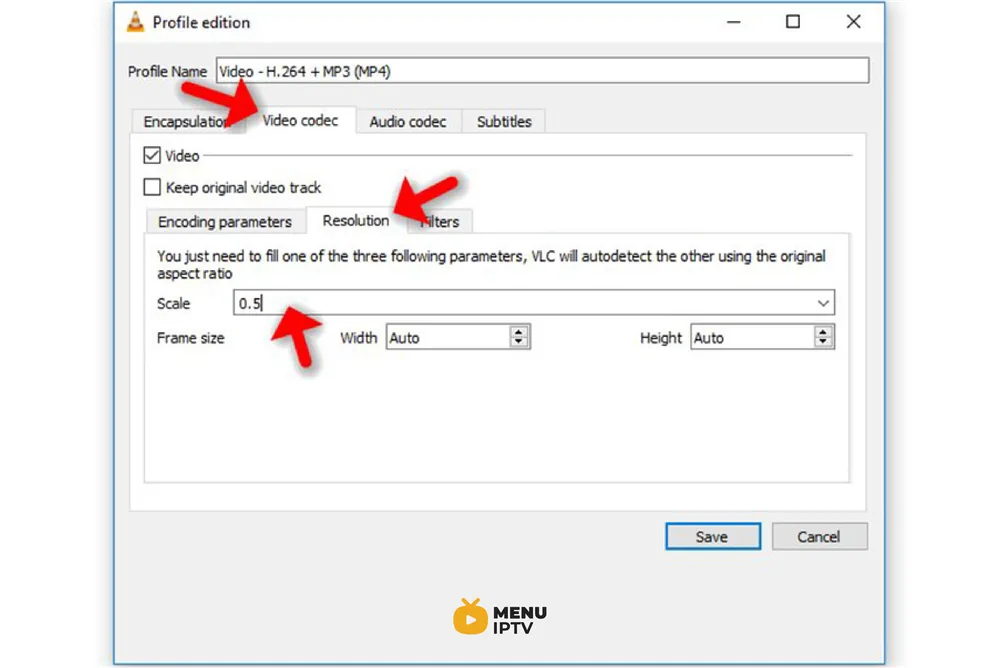
Step 4: Change the resolution by clicking over to the “Video codec” tab and using the options in the Resolution section. For example, you can use half your desktop’s resolution by typing 0.5 into the Scale box.
Step 5: After specifying your options, click the Save button and click the Start button.
VLC will inform you that it’s “streaming” your desktop to a file. Use your computer normally and VLC will record your desktop. When you’re done, click the Stop button.
Open your saved file to view the video of your desktop. You can send this file to others, upload it to YouTube, or do whatever else you like with it.
Need an IPTV subscription for this device? Get the free 24h IPTV test from Menuiptv, then pick a plan from 38 € for 6 months.