
6 steps to setup IPTV on GSE via Xtream Codes API
Introduction to IPTV on GSE
In this tutorial, we are going to show you how to bring IPTV channels to your GSE SMART IPTV App. GSE is a comprehensive user-defined Advanced IPTV solution for live and non-live TV streams. With a built-in strong player that supports most formats, including M3U with options, it is available on both Android and iOS devices.
You can download this app via the link below:
Android devices:
https://apkpure.com/gse-smart-iptv/com.gsetech.smartiptv
iOS:
https://itunes.apple.com/us/app/gse-smart-iptv/id1028734023?mt=8
How to Add IPTV Channels to GSE
Step-by-Step Guide to Setting Up IPTV on GSE
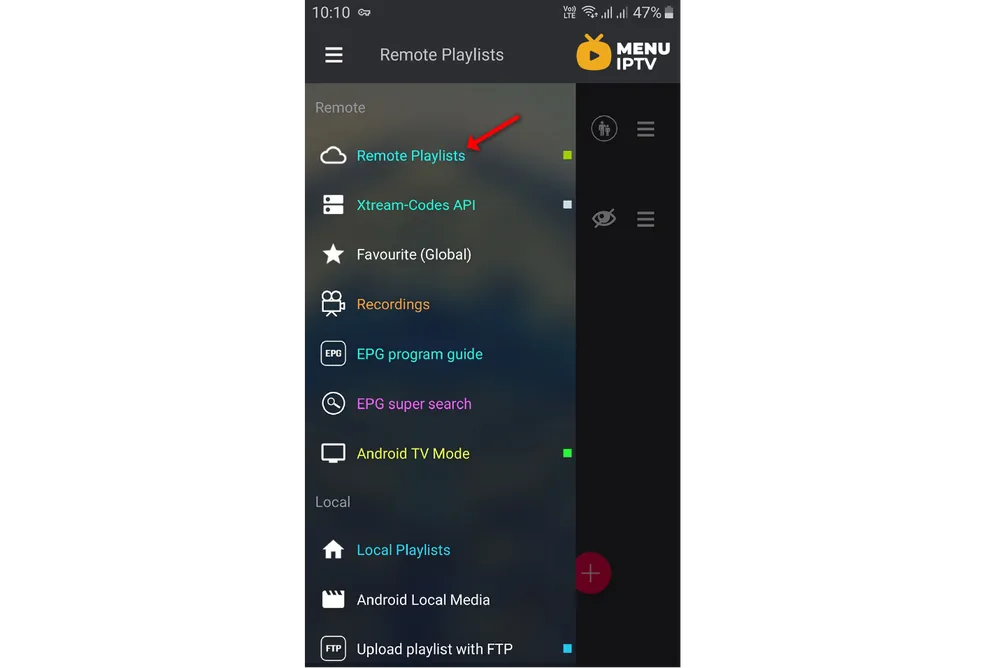
Step 1: Start by downloading the GSE IPTV App from the Google Play Store and in the menu click on Remote Playlist.
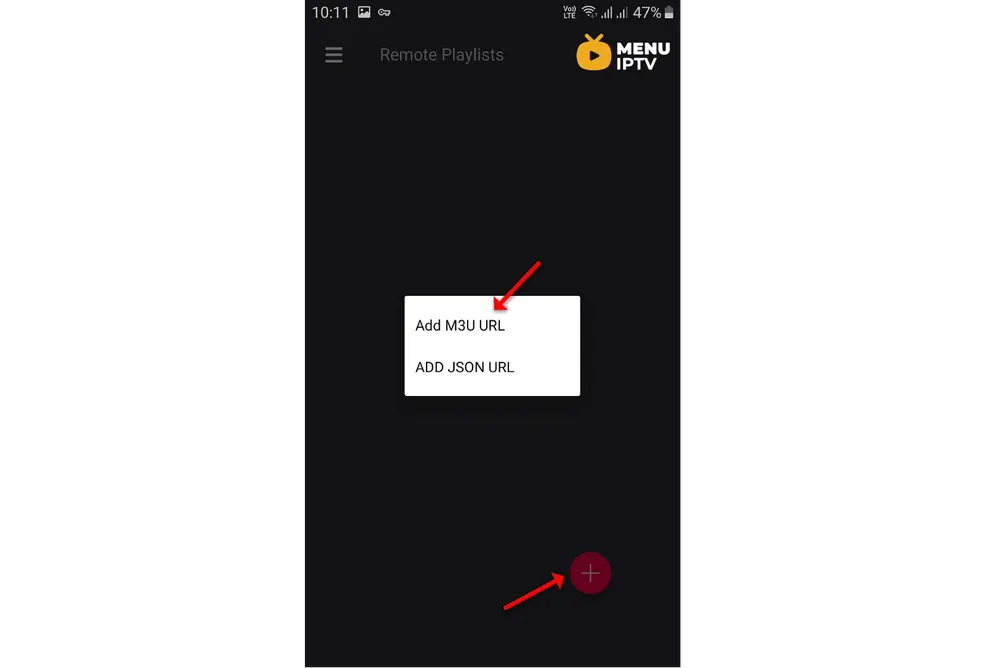
On the bottom right corner, click on the red circle, then Add M3U URL.
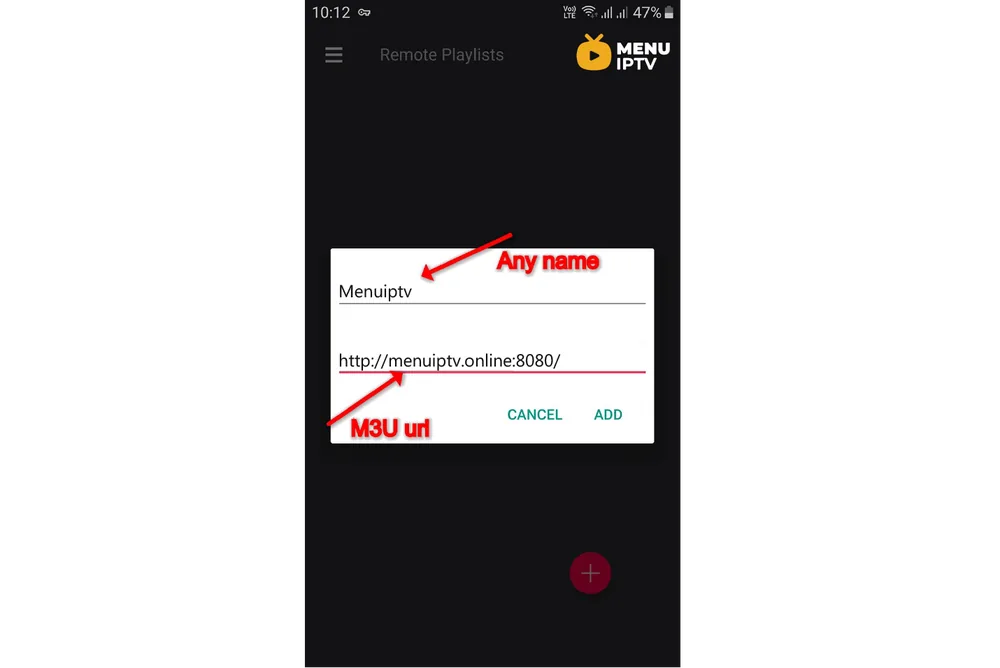
Step 2: Now select a name for your playlist and paste your M3U URL and click on “ADD“.
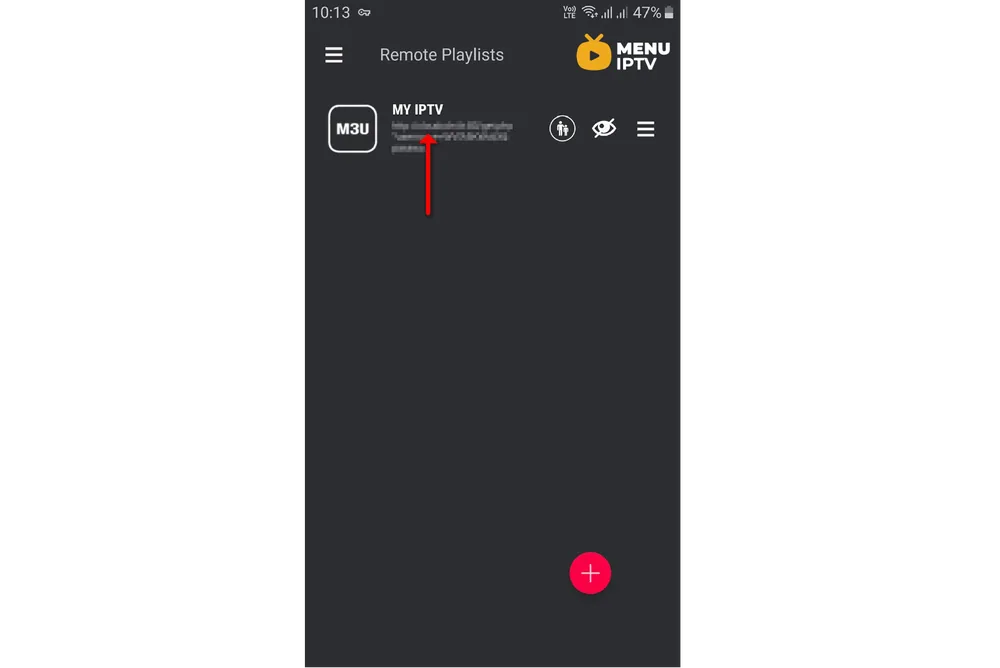
Step 3: Now click on the playlist you just added to see the channel groups.
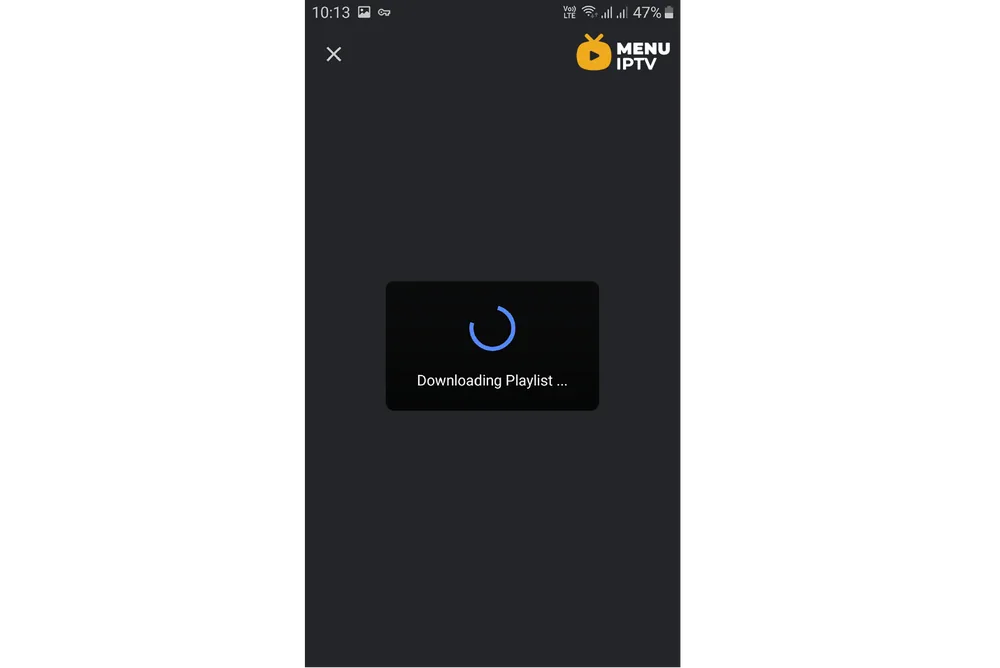
Step 4: Wait for the channels to be added to your application. This might take a little time depending on which countries or channel groups your M3U file contains.
Step 5: Now select the channel that you want to watch and click on “Play“.
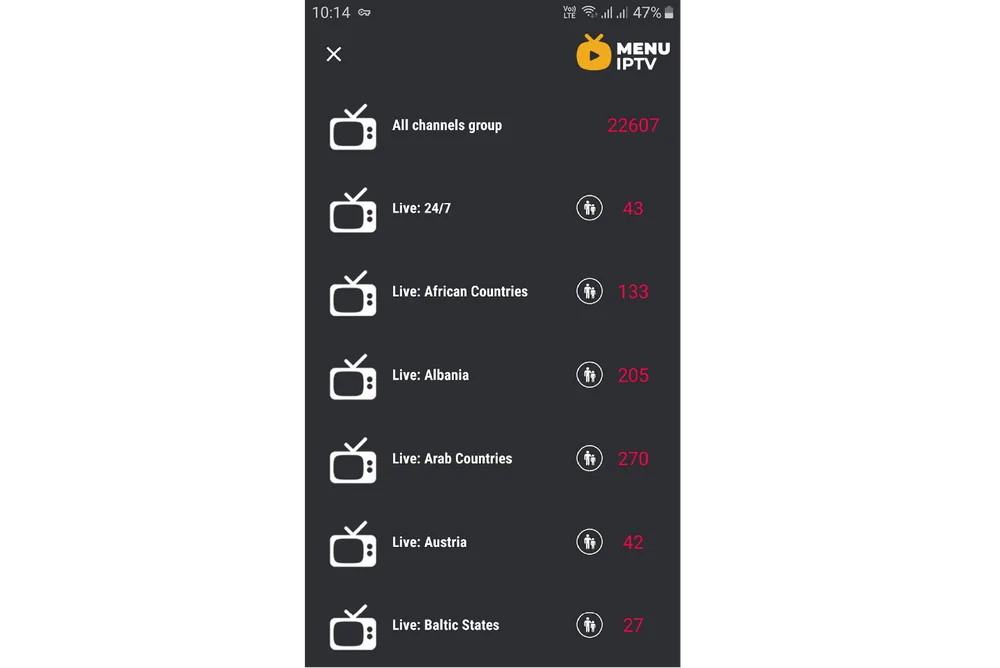
Now your GSE Android app is ready for streaming IPTV channels on your Android device.

Features of IPTV on GSE
Comprehensive Media Player
GSE Smart IPTV is a comprehensive media player that supports a wide range of formats. It not only plays IPTV streams but also supports local media files. This makes it a versatile choice for users who want a single app for all their media needs.
Cross-Platform Availability
The GSE Smart IPTV app is available on both Android and iOS devices, ensuring that users can enjoy their IPTV streams regardless of the device they are using. This cross-platform availability enhances the convenience and accessibility of the app.
Easy Playlist Management
Managing playlists in GSE Smart IPTV is straightforward. Users can add playlists via M3U URLs, scan QR codes, or import from a file. This flexibility makes it easy to switch between different IPTV providers or update your channel list.
Advanced Features of GSE Smart IPTV
EPG Support
GSE Smart IPTV supports Electronic Program Guide (EPG) in XMLTV format. This feature provides a comprehensive TV guide for users, making it easier to find and watch their favorite shows. The app also supports auto-updating EPG, ensuring that the TV guide is always current.
Parental Control
The app includes robust parental control features, allowing users to restrict access to certain channels or content. This is particularly useful for families with children, ensuring that they only watch age-appropriate content.
Multiple Themes
GSE Smart IPTV offers multiple themes
Need an IPTV subscription for this device? Get the free 24h IPTV test from Menuiptv, then pick a plan from 38 € for 6 months.