How to set date and time on a MAG device
Setting up time and date on your MAG box is an important step towards setting up your IPTV subscription on your MAG box. This will allow the EPG to be displayed properly based on your local time.
How to Set Up Time and Date on MAG Box
Step-by-Step Instructions
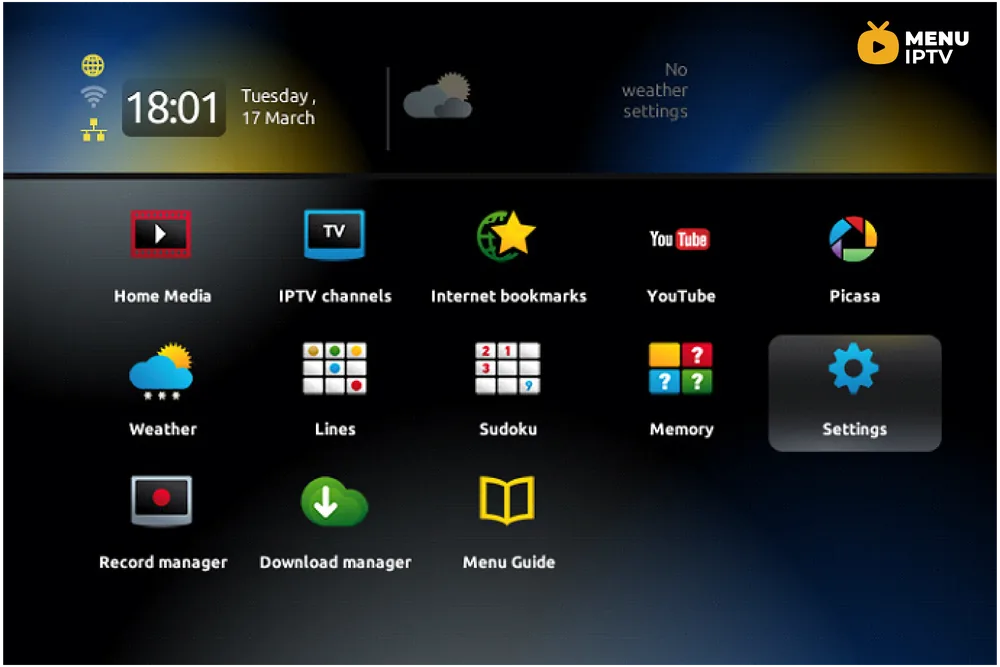
On your remote control, press “OK” to get the channel list to appear.
Press “Exit” on the remote (located near the arrows).
Go to “Settings“.
Press “OK“.
Navigate to localization where you can update the time settings.
Go back to Servers and enter “pool.ntp.org”.
Once done, it should be updated within 24 hours.
Need an IPTV subscription for this device? Get the free 24h IPTV test from Menuiptv, then pick a plan from 38 € for 6 months.