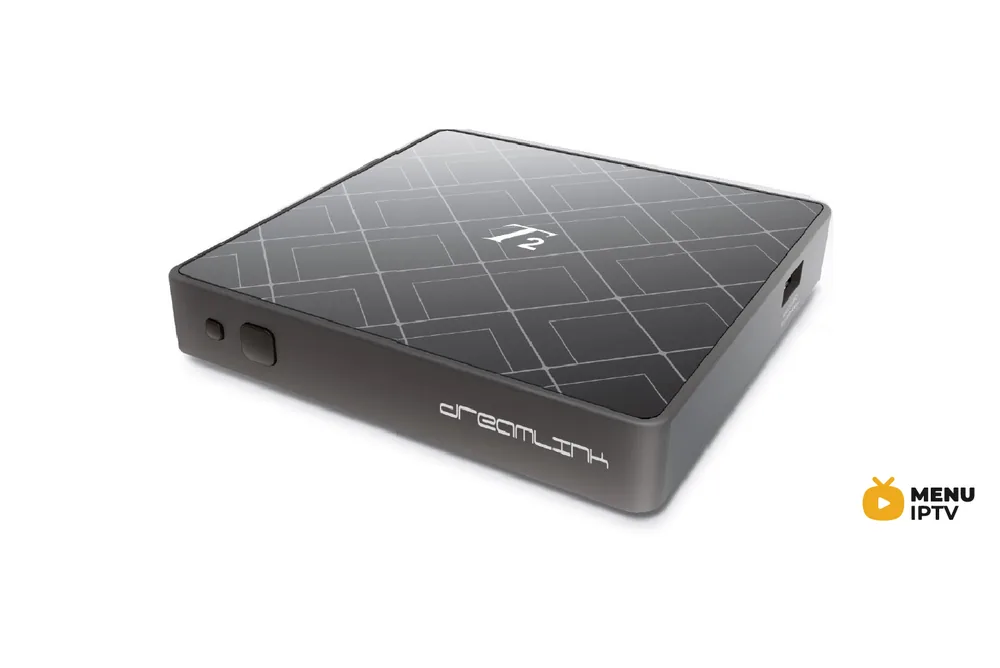
5 steps to setup IPTV on MAG Box
In this tutorial, we are going to show you how to bring IPTV channels to your MAG device.
How to setup IPTV on a MAG device
Step 1: When the box is being loaded the main portal screen appears. After that click on “settings”, press remote button “SETUP/SET”.
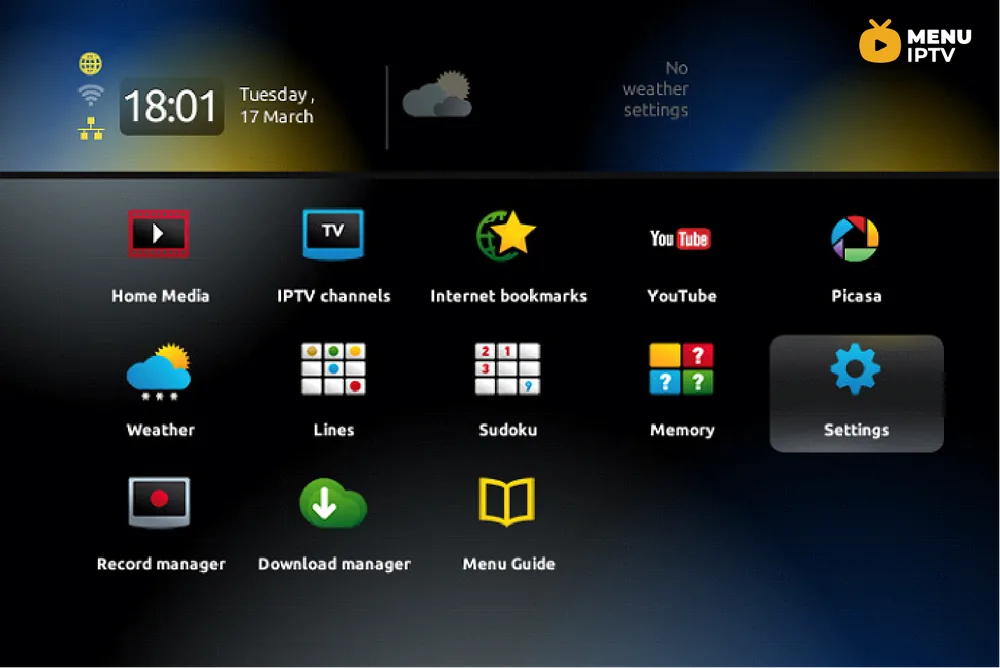
Step 2: Then press on “System settings” and click on “Servers”.
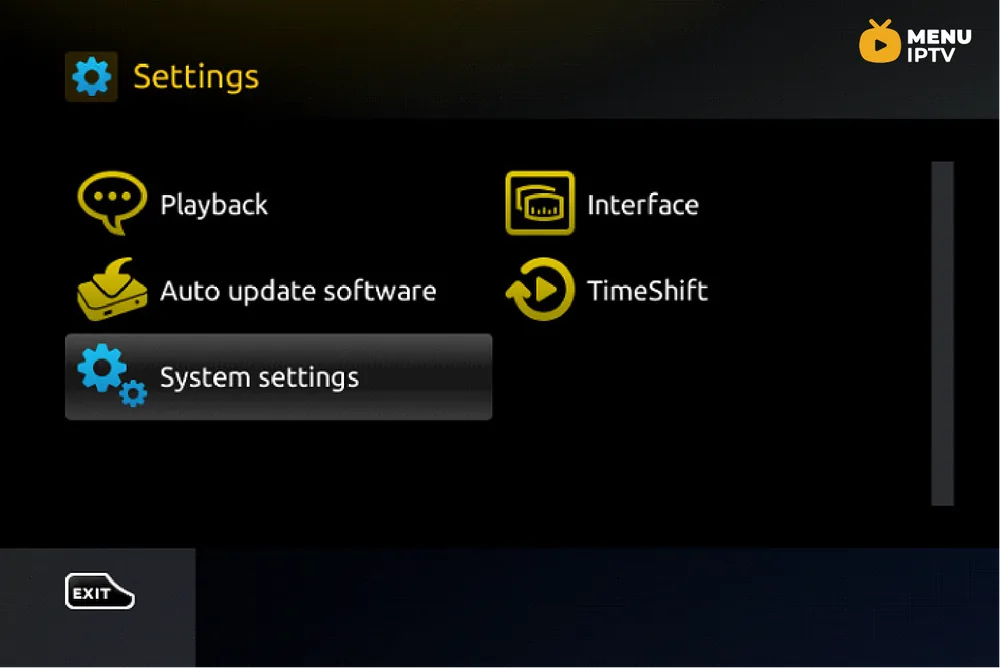
Step 3: Select “Portals”.
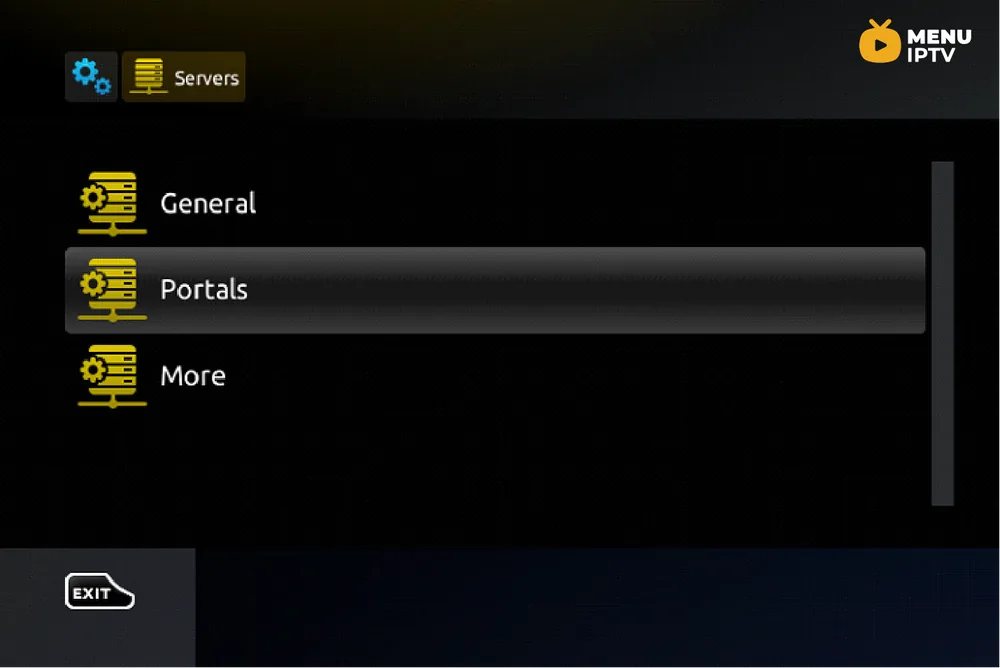
Step 4: In the “Portal 1 name” line enter the following ” IPTV “.
In the “Portal 1 URL” enter the portal address provided by your IPTV distributor. First, you must provide your device Mac address which can be found on the back side of your box to your IPTV distributor.
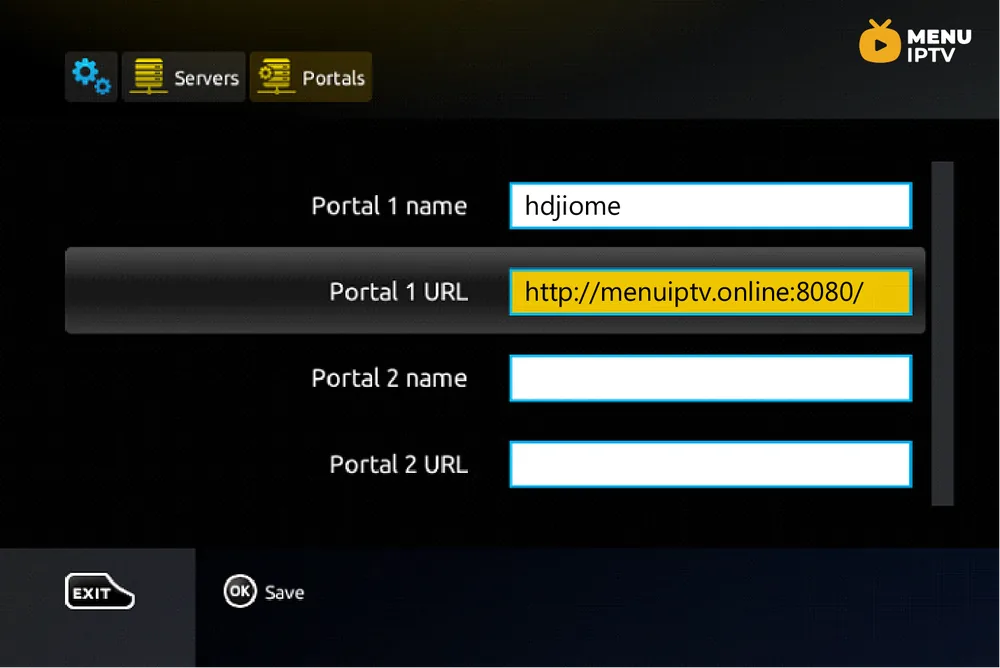
Step 5: When all the operations listed above is done, then press “OK”.
When the settings are being saved click “EXIT” on the remote control and press option “General”.
In the “NTP server,” line enter the following address “pool.ntp.org or us.pool.ntp.org“ for North America.
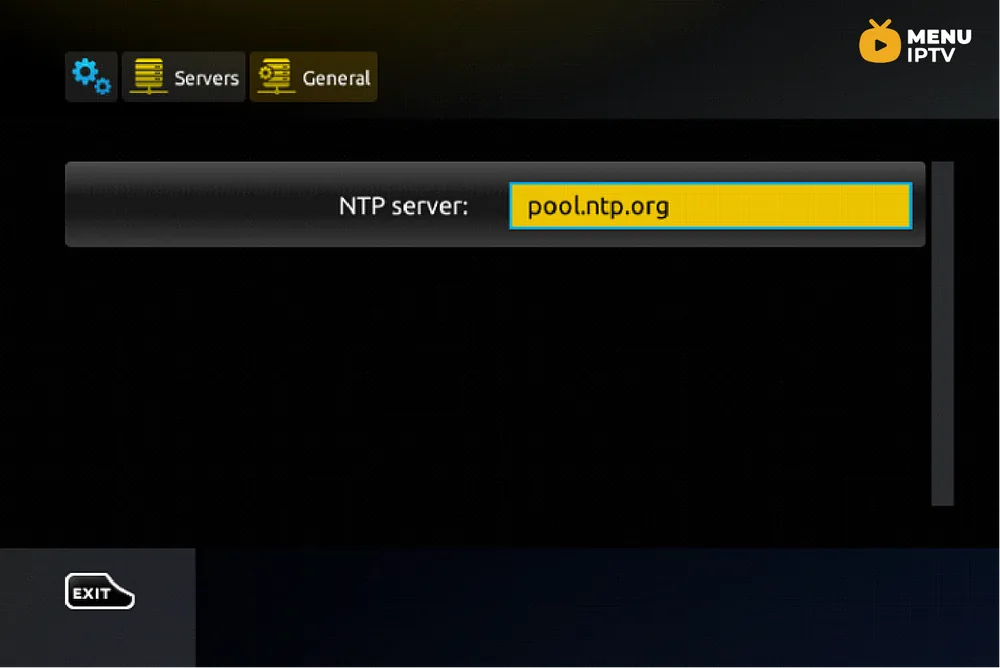
Press “OK” to save the changes you made.
When all the steps listed above are done press”EXIT” 2 times on the remote control and restart the portal.
Now everything is ready to start watching Live TV…
Password for adult content
The password for adult content on MAG is usually 0000 unless it is changed manually by the user.
Need an IPTV subscription for this device? Get the free 24h IPTV test from Menuiptv, then pick a plan from 38 € for 6 months.